Main parameters#
MAIN SETTINGS#
PATH / PROFILE#
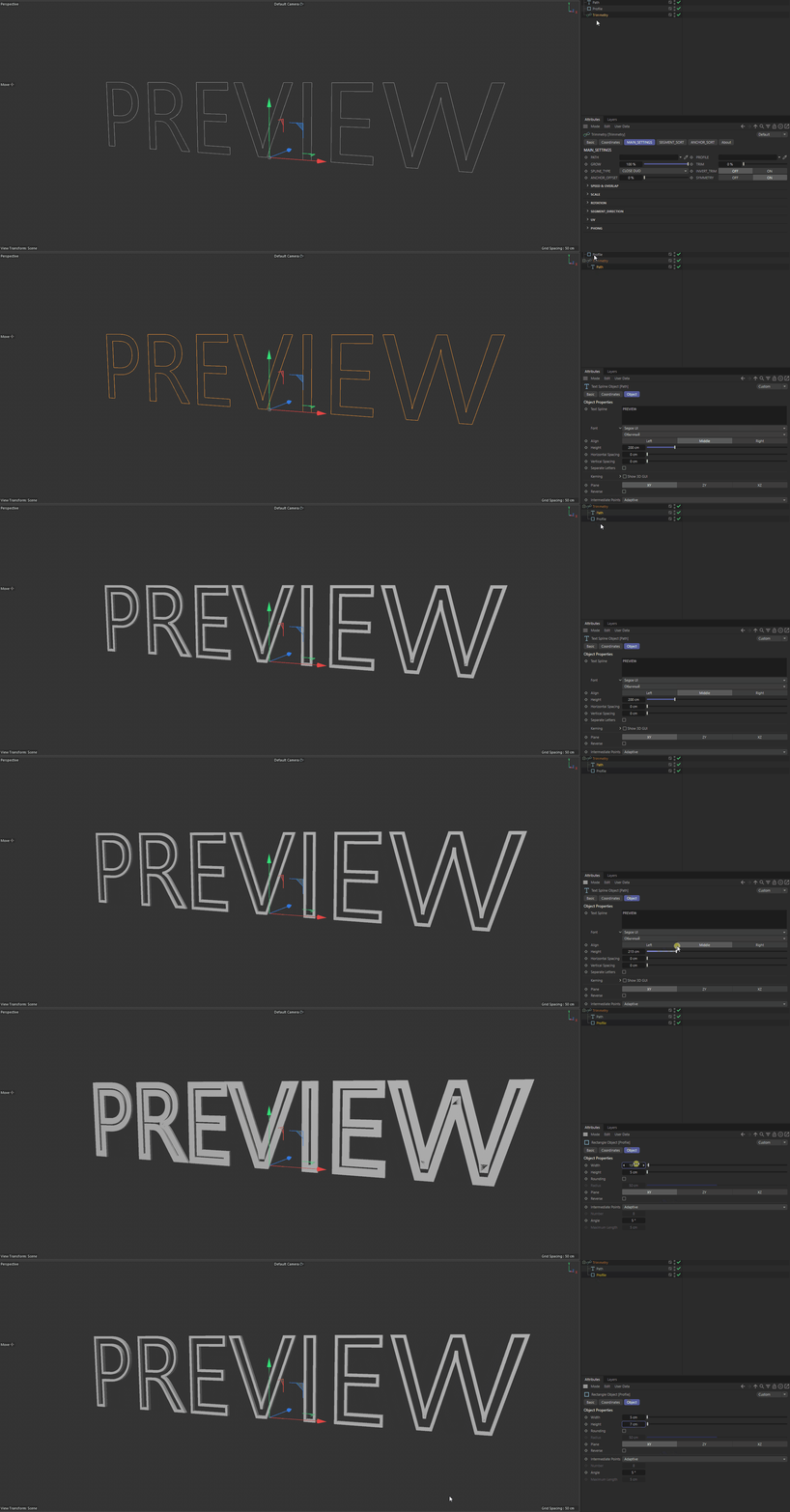
References to the path and profile. In the tested build, using the child hierarchy is recommended:
Trimmetry
├── Path
└── Profile
GROW#
The end of the visible range, from 0% to 100%.
0%— growth has not started yet;100%— the end of the available range has been reached.
TRIM#
The beginning of the visible range. The growth between Trim and Grow remains visible. This parameter is disabled when an automatic TRIM_BOUNCE_MODE is selected.
SPLINE TYPE#
- CLOSE DUO
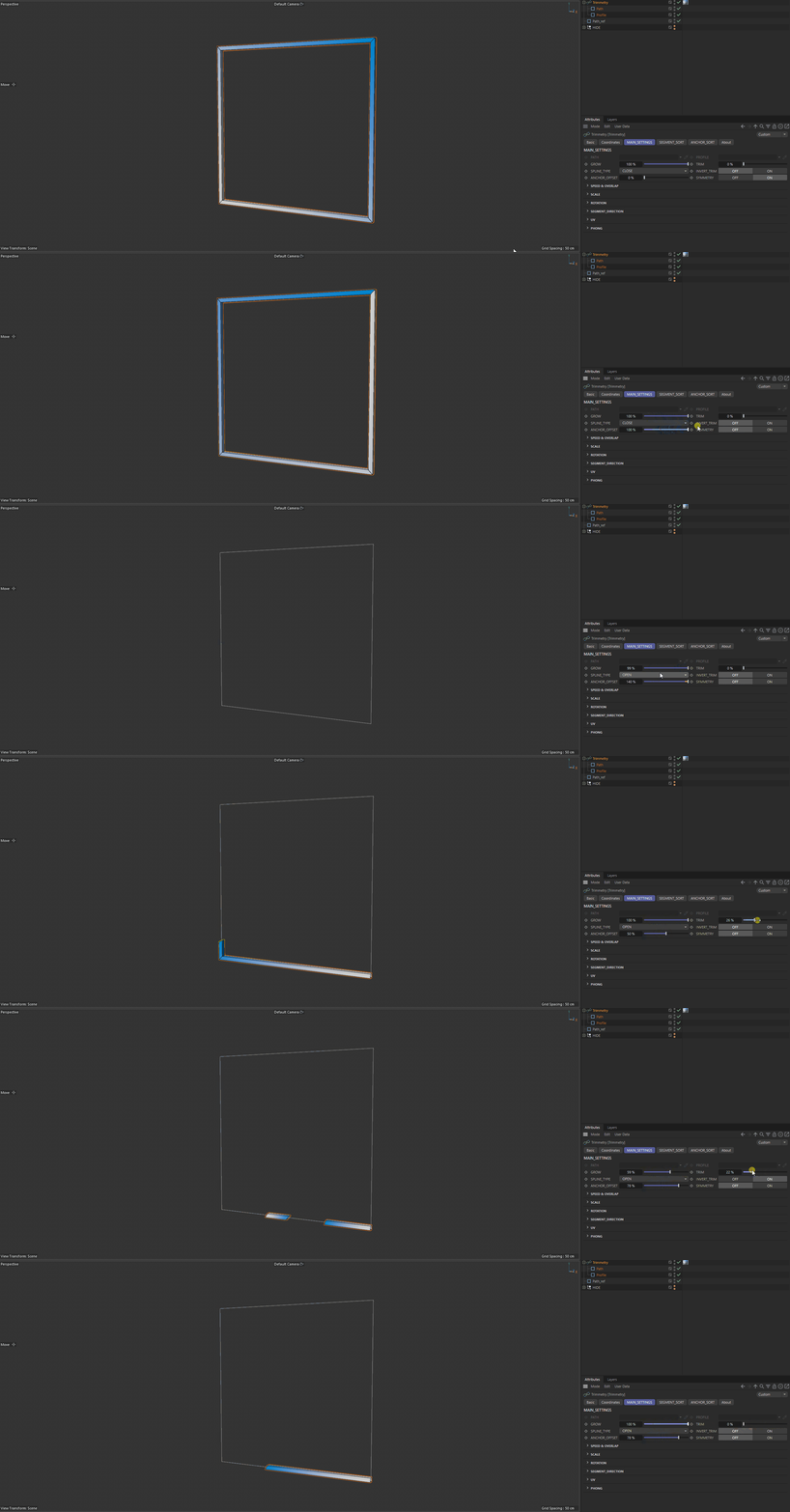
A two-way mode for a closed path. Growth proceeds from the Anchor in both directions and supports cutting the closed chain.
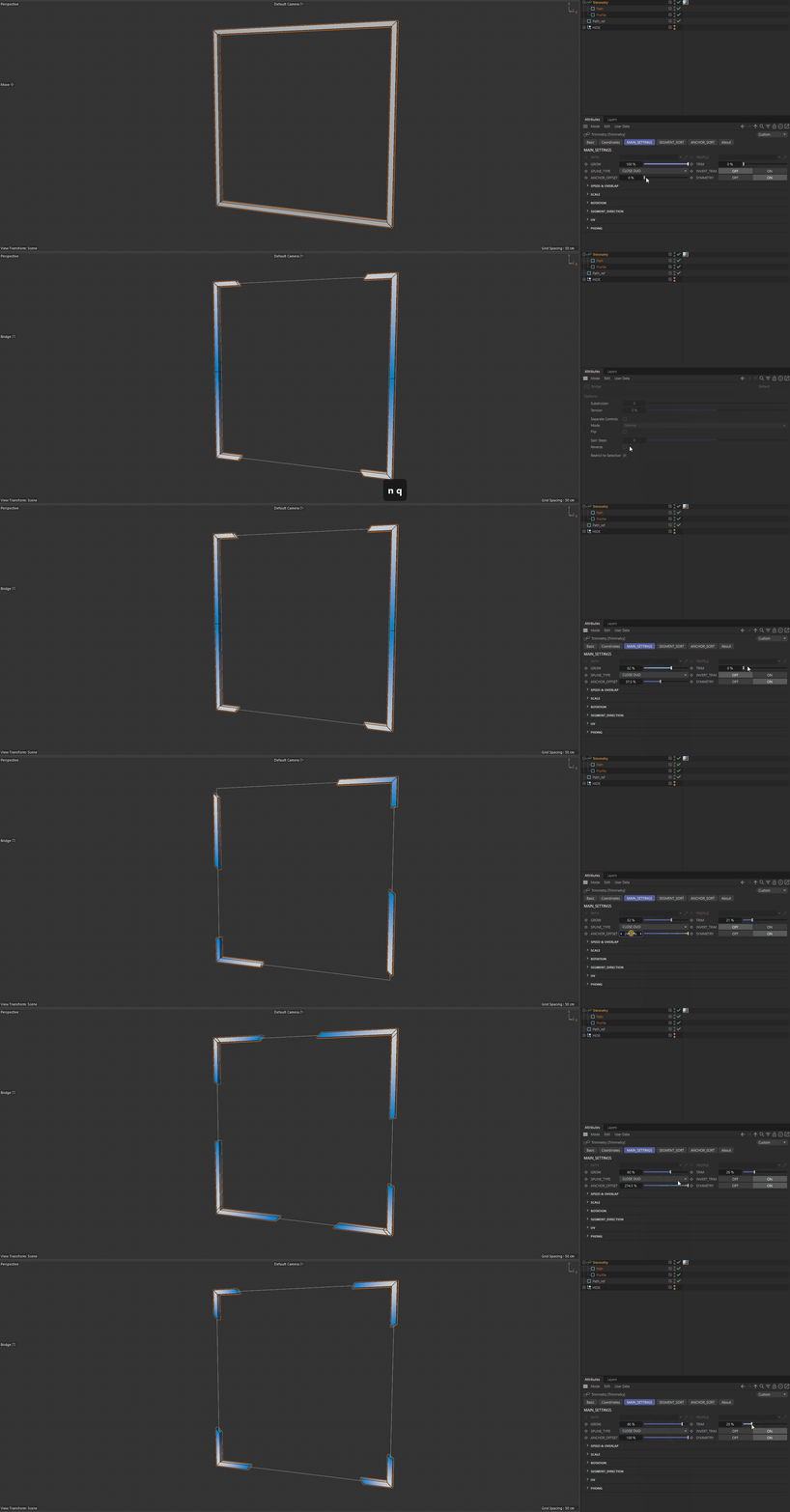
- CLOSE
A closed path with standard two-way trimming.
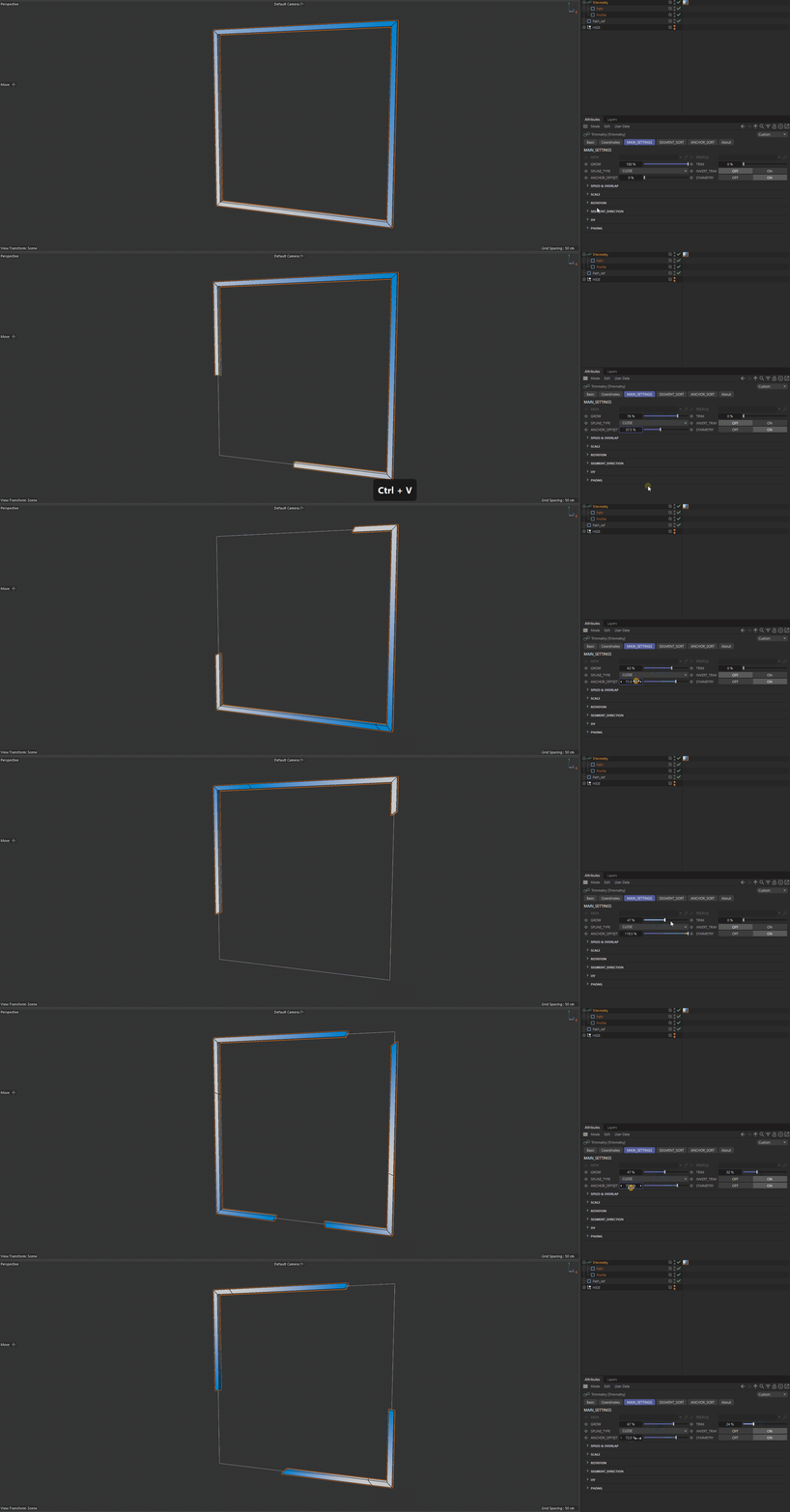
- OPEN
Open-path logic in which both sides use the same normalized distance relative to the Anchor.
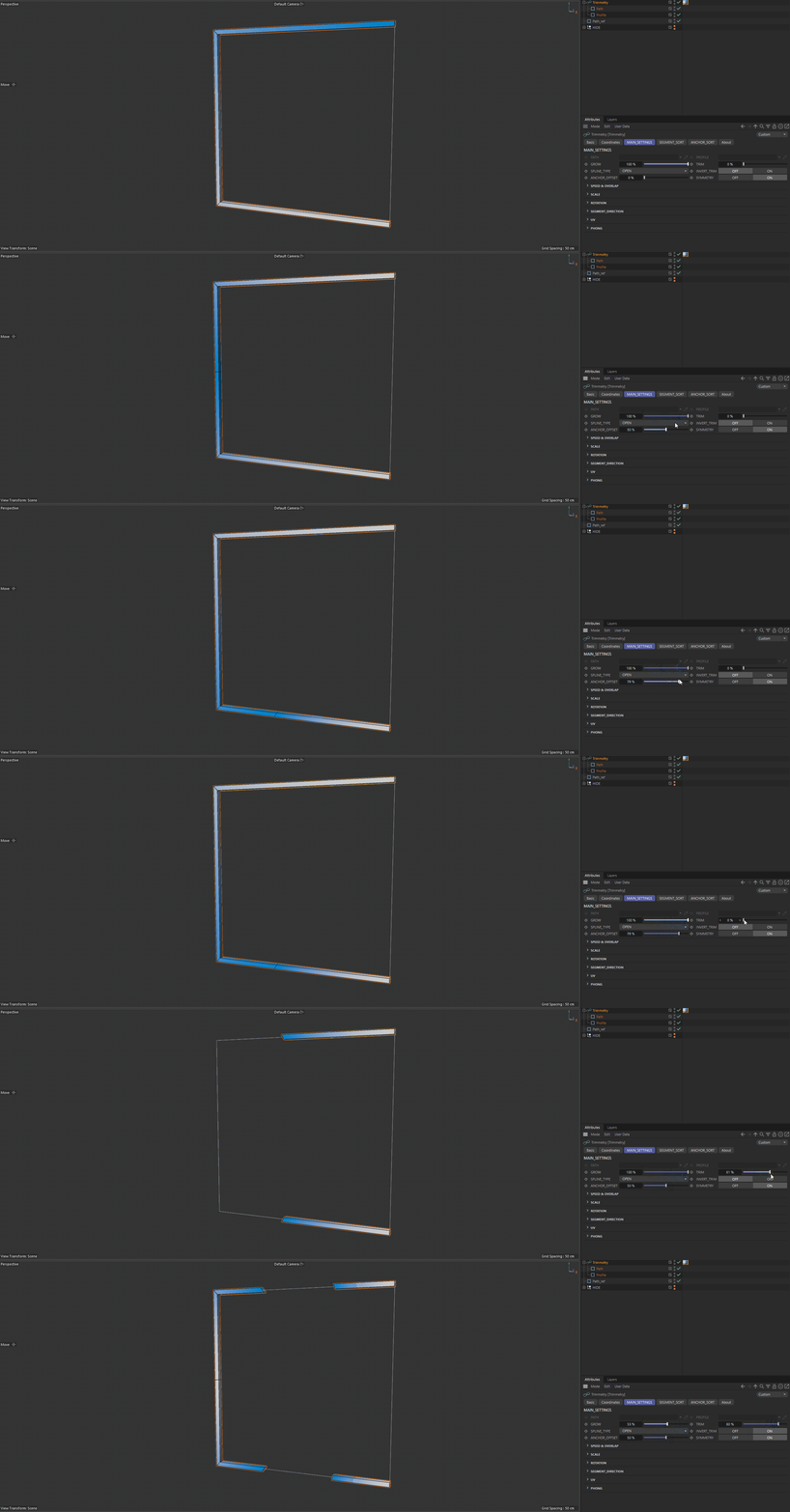
- OPEN PROPORTIONAL
Each side is normalized by its own available length. With an off-center Anchor, the left and right sides reach their ends at the same time.
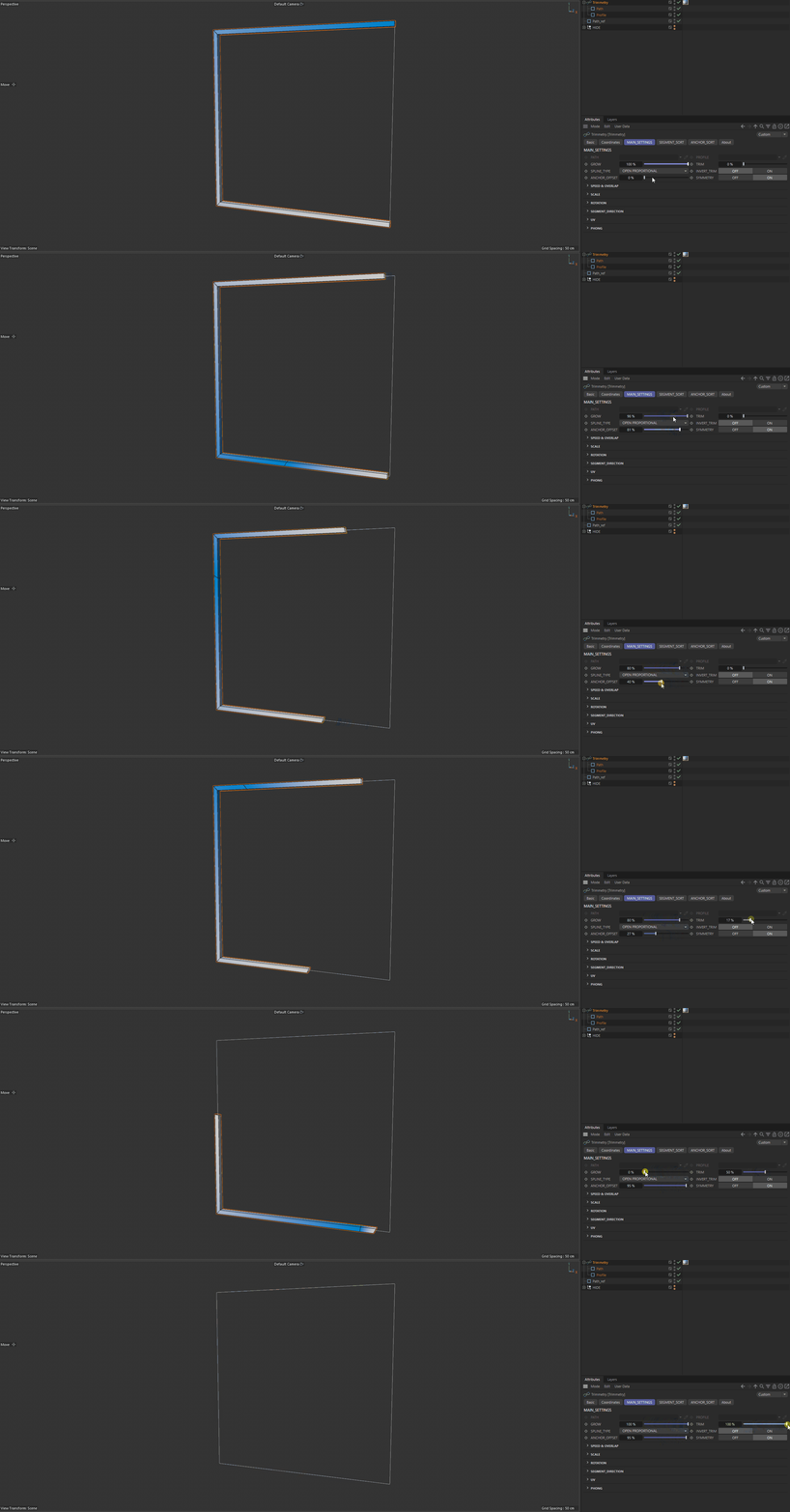
- OPEN EXTRAPOLATED
An open mode with virtual end rings. It allows trimming to continue beyond the calculated segment boundary.
SNAP EXTRAPOLATEDis also available.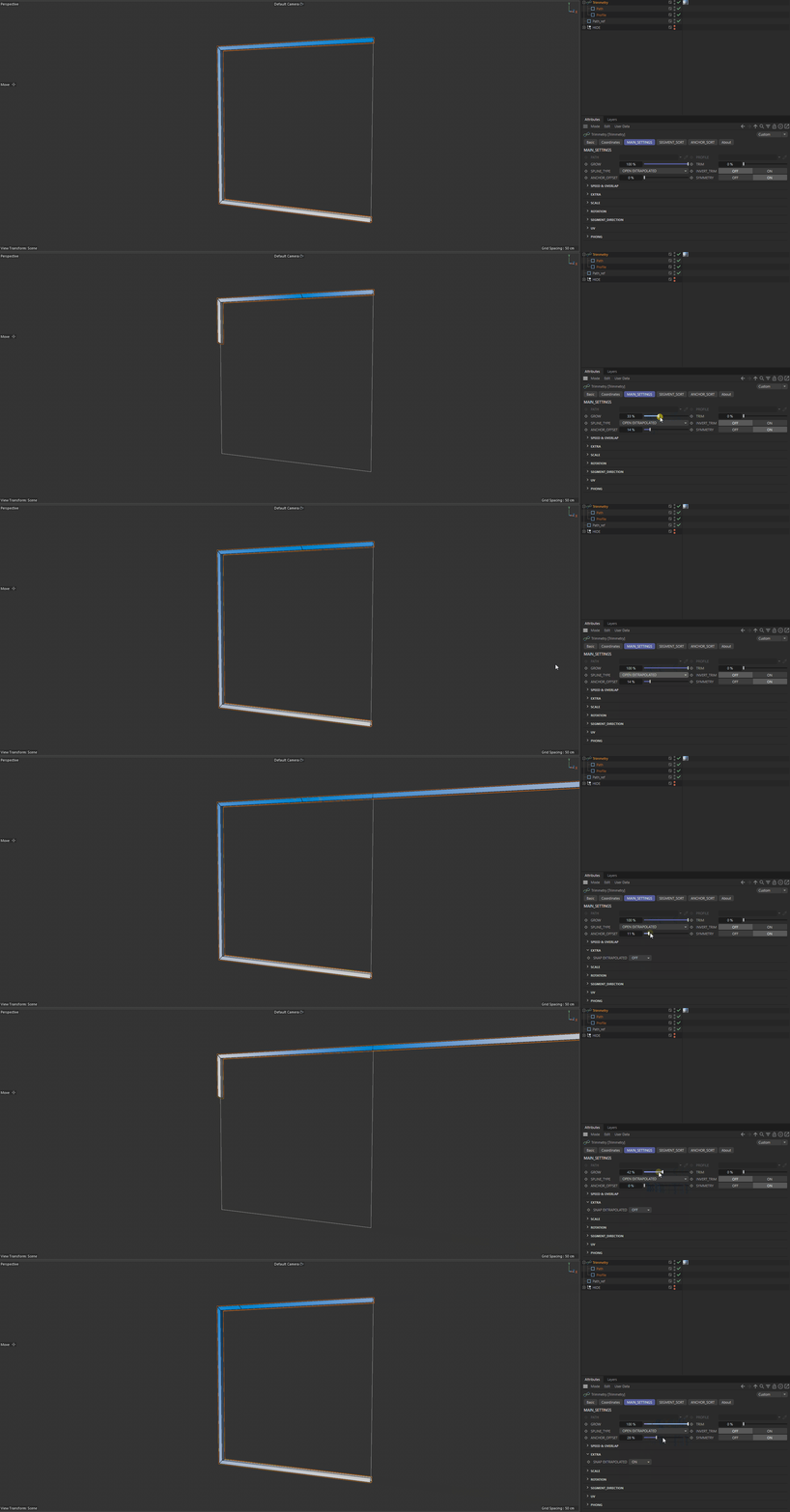
- OPEN FAKE
A mode with virtual speed in the end regions that preserves polygon gaps.
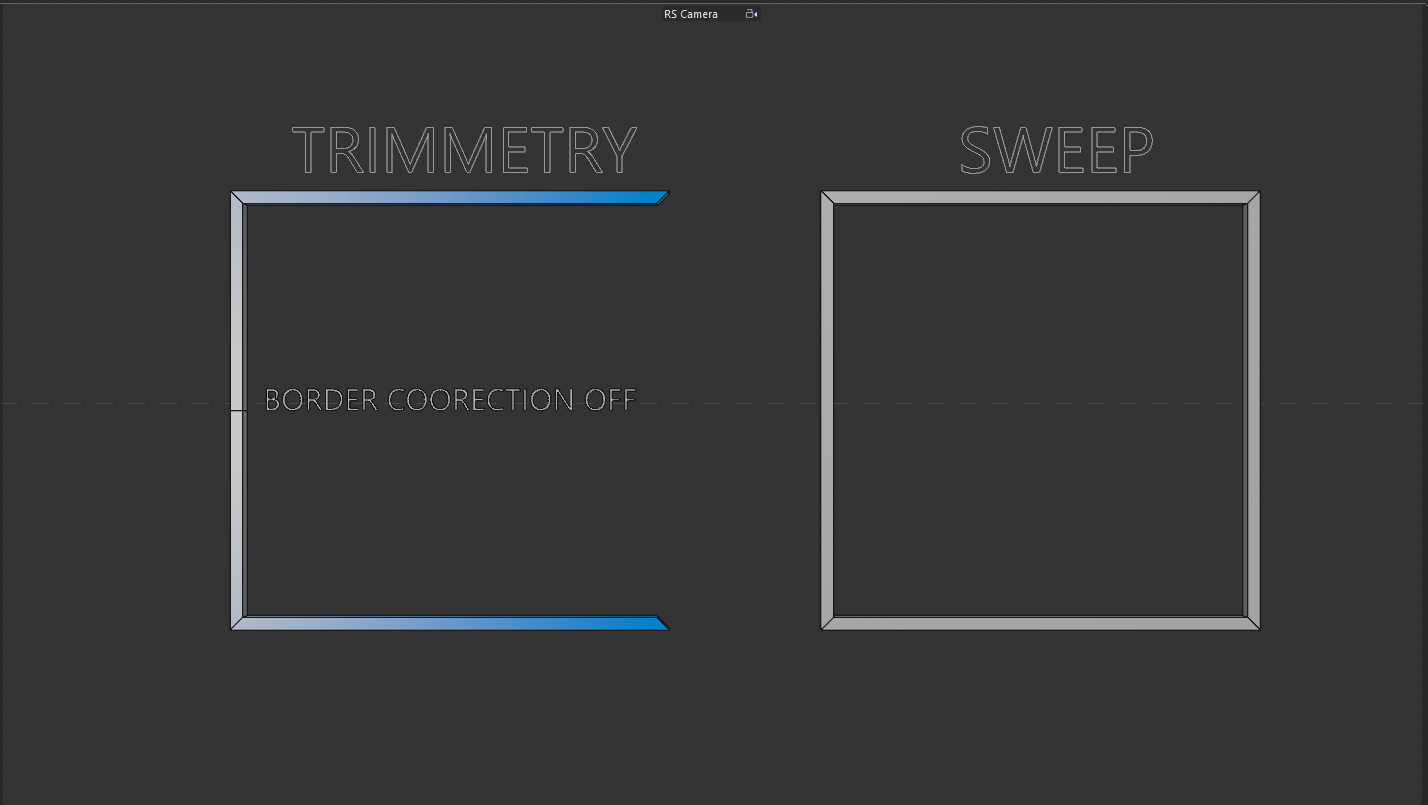
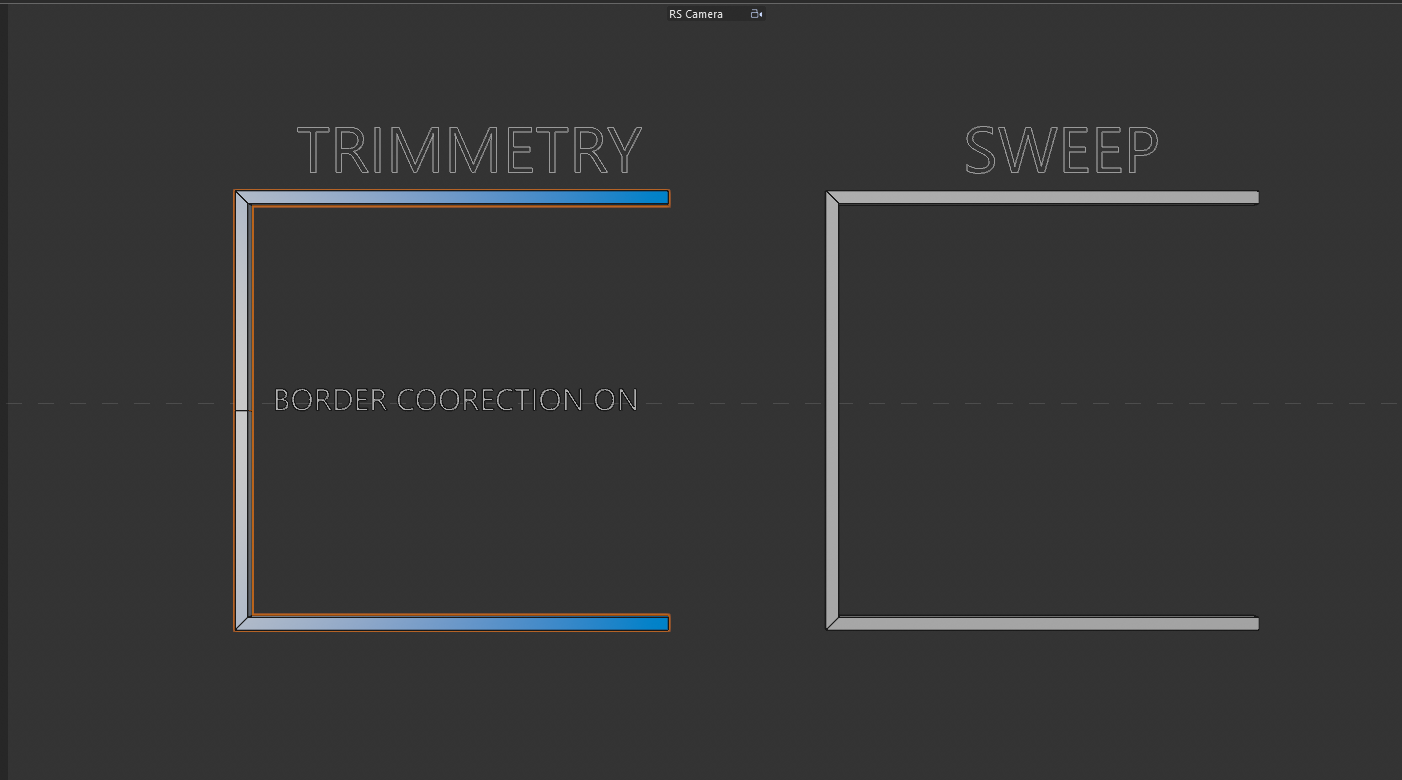
SPEED MODEandBORDER CORRECTIONare available for it.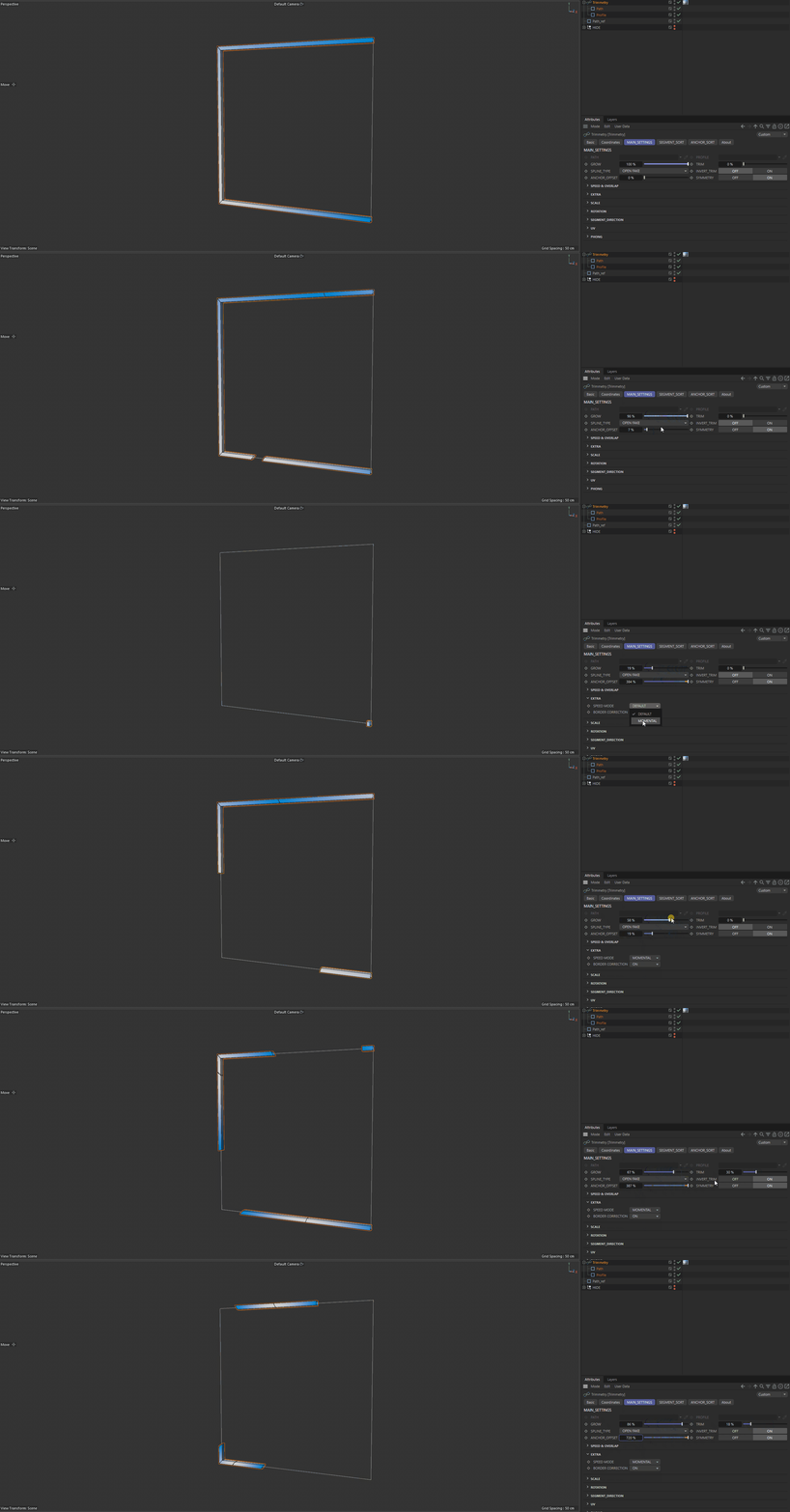
Note
CLOSE DUO, CLOSE, and OPEN FAKE force Path to be treated as closed. OPEN, OPEN PROPORTIONAL, and OPEN EXTRAPOLATED treat it as open.
INVERT TRIM#
OFF— keep the interval between Trim and Grow;ON— remove that interval and keep the outer portions.
ANCHOR OFFSET#
Offsets the calculated Anchor along the segment. The value is stored as a normalized fraction despite being displayed as a percentage.
SYMMETRY#
ON— two-way growth relative to the Anchor;OFF— one-way trimming.
SPEED & OVERLAP#
SPEED MOD#
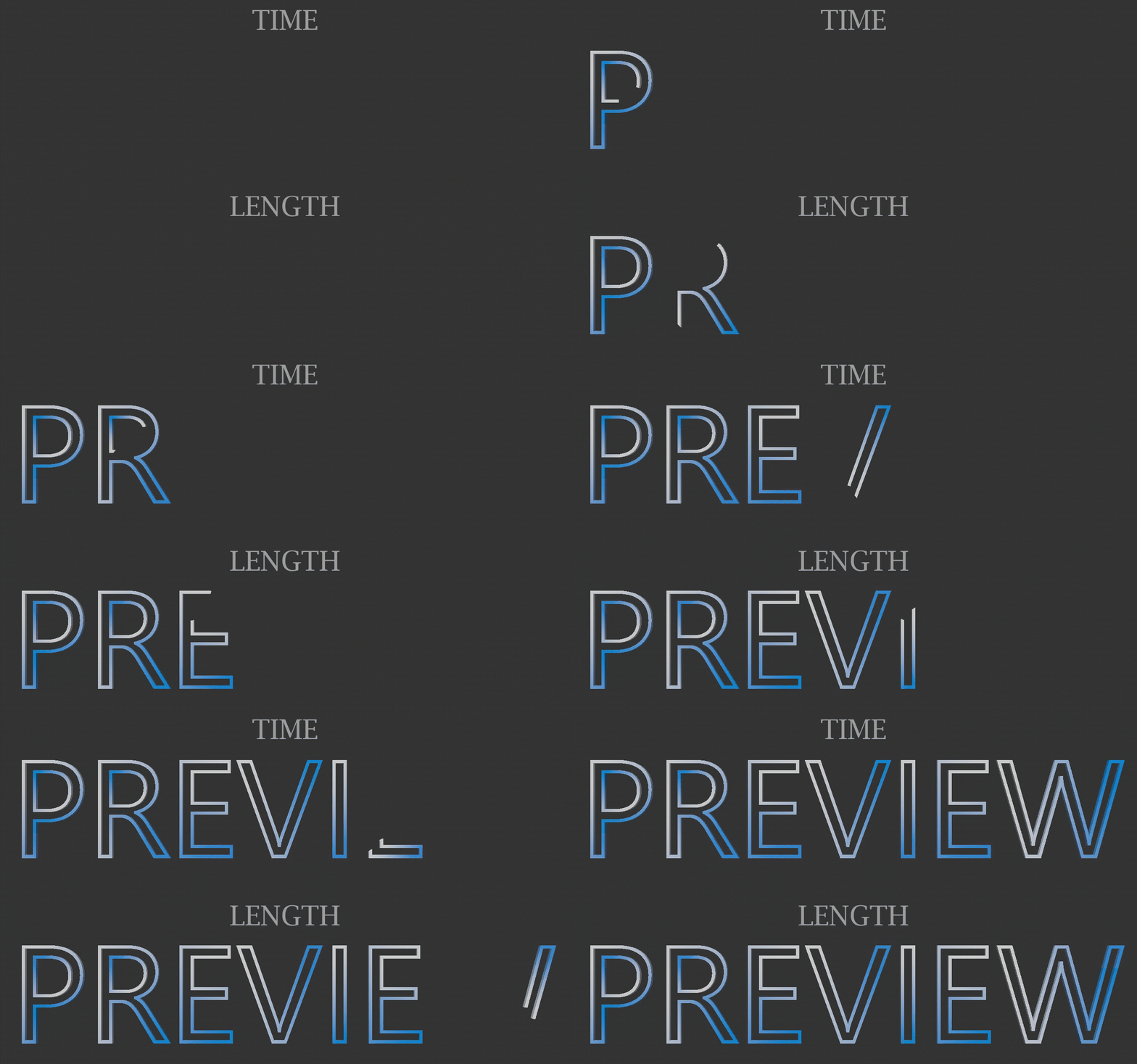
TIME assigns equal time to each group, LENGTH accounts for its length, and MIX blends the two results. In the example, the letter W receives more time in LENGTH mode.
OVERLAP#
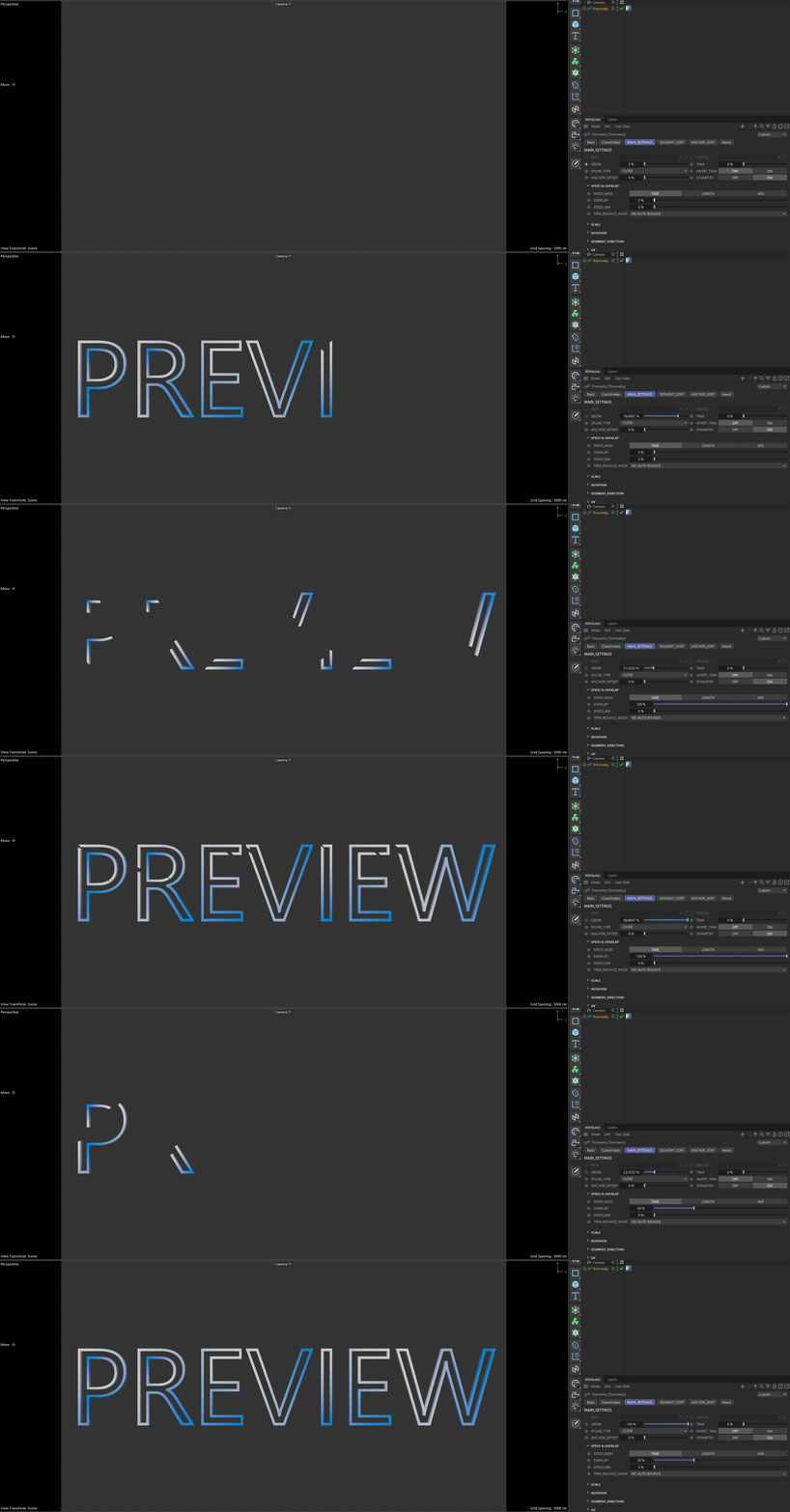
Controls how much the time ranges of adjacent groups overlap. At 0%, groups run sequentially; increasing the value starts subsequent groups earlier.
SPEED MIX#
Available when using MIX mode:
0%corresponds to TIME;100%corresponds to LENGTH;intermediate values blend the two scales.
TRIM BOUNCE MODE#
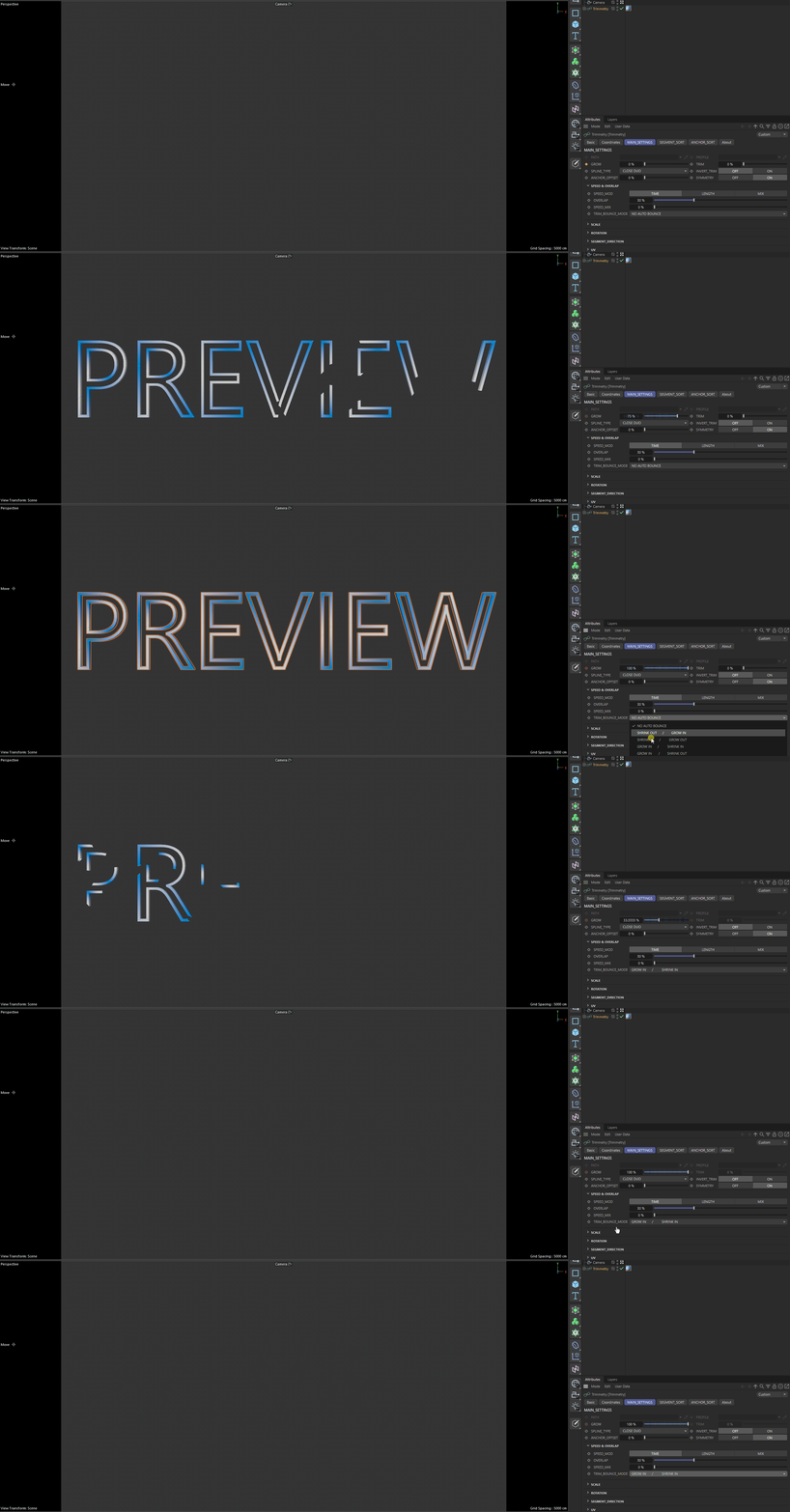
Automatically turns the single Grow parameter into a growth-and-shrink cycle. Manual TRIM is disabled in every mode except NO AUTO BOUNCE.
The option names directly describe the first and second halves of the cycle: SHRINK OUT / GROW IN, SHRINK IN / GROW OUT, GROW IN / SHRINK IN, GROW IN / SHRINK OUT, GROW OUT / SHRINK IN, and GROW OUT / SHRINK OUT.
EXTRA#
- SNAP EXTRAPOLATED
Shown only for
OPEN EXTRAPOLATEDwith Symmetry enabled. Snaps the extrapolated boundary to the calculated edge.- SPEED MODE
Shown only for
OPEN FAKEwith Symmetry enabled. WithMOMENTAL, reaching the gap between the first and last points causes an abrupt jump. WithDEFAULT, movement keeps the same speed across the gap as if the points were connected.- BORDER CORRECTION
Shown only for
OPEN FAKE. WhenON, special correction is applied to the end matrices and scale.